
Native tool-calling
A typed tool registry over the Vercel AI SDK — multi-step, with tool errors fed back for self-correction.
 interference
Alpha
interference
Alpha
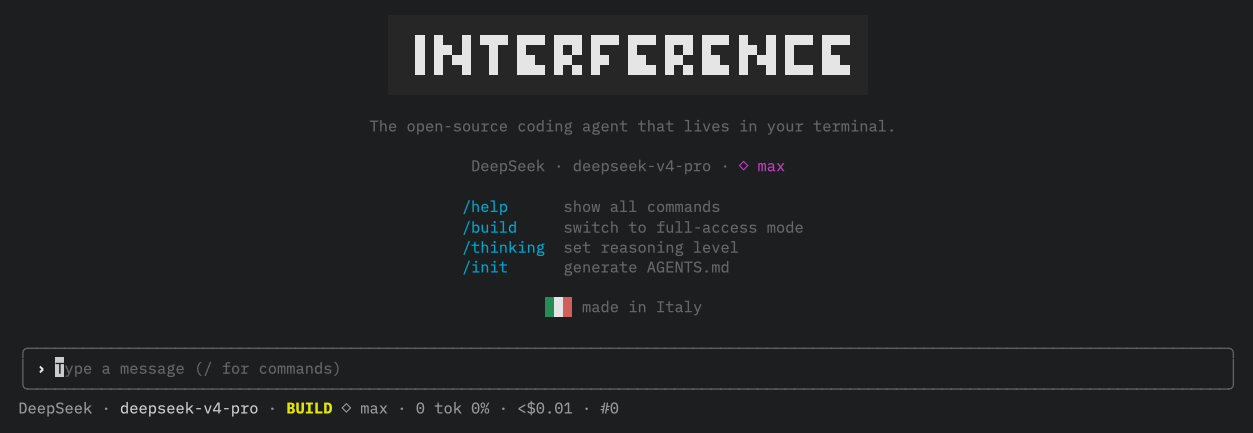
interference reads your code, edits files and runs commands through an agentic loop. Every turn passes through the open-source Agentic SWE behavior framework, with code-enforced permissions and a read-only Plan mode.
bun install -g interference-agent
Requires Bun 1.3+ — the runtime interference runs on.
Every primary turn is evaluated by Agentic SWE — the separate open-source protocol and runtime at the heart of interference. It classifies intent, opens setup and planning gates, scopes capabilities, and requires host evidence before completion.
setup → plan → execute
Non-trivial work cannot skip repository setup or planning. Complex questions remain read-only when no mutation was requested.
protocol ∩ mode ∩ tools ∩ policy
The model may describe intent, but it cannot grant access. Agentic SWE and Interference can only narrow the toolset.
event → evidence → completion
Only successful redacted host events satisfy hard criteria. A failed test never becomes proof of validation.
Agentic SWEowns behavior: classify · gate · route · verify
interferenceowns execution: models · tools · permissions · sessions · TUI
AGENTS.md → gates → scoped tools → evidence — behavior that survives the chat
Describe a task in plain language. interference plans before it touches anything.
read · ls · glob · grep · webfetch to explore, write · edit · bash · task · todowrite · question to act — multi-step, streamed live.
Every mutating action is gated by allow / ask / deny. Approve with a diff in front of you.
Sessions are persisted and snapshotted. Roll back a change the agent made, instantly.
Every session starts from zero. You re-explain your commit style, your test setup, your release process — every time, in every conversation.
Skills aren't one block of text bolted onto every prompt. interference injects each one exactly where it belongs — into the main conversation, or into a dedicated subagent with its own system prompt built around that one task.
/commitThe agent explores and reasons — never writes. Perfect for understanding a codebase or scoping a change before committing to it.
file:line evidenceThe agent writes files, applies atomic edits and runs commands — each behind your permission rules, with destructive actions denied by default.
edit (unique-match)bashA typed tool registry over the Vercel AI SDK — multi-step, with tool errors fed back for self-correction.
allow / ask / deny rules enforced in code, not in the prompt. The model can't talk its way past them.
Streaming output, spinners and live tool steps in a flicker-free terminal interface built with Ink.
Resume where you left off. Snapshots before every mutation mean undo/redo on the agent's edits.
See exactly what you’re spending on API calls — live, per-request, in your terminal. No hidden usage, no surprise bills.
Runtime, test runner, and package manager — one toolchain, zero config. Starts instantly.
Agent Skills format with auto-detection by keyword matching. Invoke via /skill-name. 3 skills bundled, your own are just a SKILL.md away.
Delegate complex multi-step tasks to isolated agents — Explore (read-only), General (full access), Review (bug/security/simplicity findings), or your own custom agents. Launch several in the same turn to run them in parallel.
/help · /clear · /undo · /redo · /init · /model · /plan · /build · /compact · /sessions · /rename · /provider · /thinking. Fuzzy autocomplete on /.
Built in Italy. Open-source, MIT licensed, not VC-funded. Your code never leaves your machine unless you explicitly send it to an API. An independent, GDPR-native alternative to Silicon Valley agents.
Every tool call, every reasoning step, and exactly what you’re spending on API costs — live, in your terminal. No hidden usage. No surprise bills.
There’s no interference server. Chats and sessions stay local in ~/.interference/, never uploaded. We don’t save your conversations, don’t collect your data, and don’t train on anything — what you send your LLM provider is between you and them.
1 — Install Bun 1.3+ (skip if you already have it):
curl -fsSL https://bun.sh/install | bash
2 — Install interference:
bun install -g interference-agent
Then run interference. Add your API keys with /provider on first launch. State is stored in ~/.interference/.